

The daily scramble
Your scheduler needs an update on a technician’s availability. Sales is still waiting for the latest scope changes to be reflected in the CRM. Accounting, meanwhile, is chasing timesheets so invoices can go out before the month-end. Even though every team leans on Sage, each relies on its own spreadsheets or point apps. As data hops from one tool to another, typos creep in, utilization drops, and customers wonder why promised timelines keep shifting.
One platform, one source of truth
According to TimeLinx Software, Inc., embedding project and service management inside Sage CRM “eliminates information silos” by sharing data seamlessly with Sage ERP, so teams no longer juggle duplicate records in separate systems eliminate information silos.
Why connected workflows matter
Disconnected tools don’t just waste time; they erode margins, delay cash, and limit the insights leaders need to steer the business. A unified Sage workflow delivers hard return on investment (ROI) by keeping customer, operational, and financial data in sync.
Why Disconnected Sage Workflows Hold Service Organizations Back
Recurring data re-entry
Even with Sage ERP (enterprise resource planning) handling accounting and Sage CRM (customer relationship management) tracking deals, many service teams swivel between stand-alone tools for scheduling, field capture, and billing. Each handoff means copying data – an open invitation for typos, missed rate changes, and duplicate contacts.
Slower decisions, weaker visibility
When sales, delivery, and finance work from different snapshots of the truth, leaders can’t see utilization in real time or trust margin forecasts. By the time spreadsheets are reconciled, the job has run over budget, or the invoice went out wrong.
Where Fragmentation Shows Up in Daily Operations
Opportunity → project handoffs
- New deals stall because scope details never make it from CRM to the scheduling board, so resource planners guess at dates and overbook.
Scheduling changes
- Last-minute client requests require updates in a Gantt chart, a whiteboard, and a mobile app – three chances for mismatched details.
Mobile field updates
- Technicians capture time on their phones, but finance still re-types hours into ERP screens.
Invoice preparation
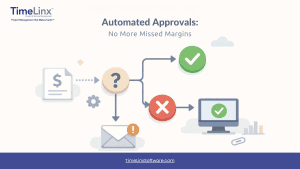
- Billing waits for approvals buried in email threads, delaying cash flow and exposing the business to write-offs.
A single extra zero on a technician’s hours can inflate project costs, hide under-utilization, and trigger an angry customer call when the invoice lands.
What Generic Project Tools Miss for Sage Users
Disconnected point solutions
- Fragmented data
- Manual exports to finance
- Little or no billing logic
A connected Sage workflow
- Shared customer record from lead through invoice
- Automatic rate rules respected at every stage
- Real-time utilization across projects and service calls
When every team touches the same data only once, errors shrink. and decisions happen faster. A platform built to bridge CRM, service delivery, and ERP is the only way to get there.
How TimeLinx Connects the Full Service Lifecycle
Lead to cash in a single flow
TimeLinx embeds project and service management inside Sage CRM and synchronizes approved transactions with Sage ERP. Quotes convert to projects instantly, capacity updates dynamically, field data feeds the project in real time, and invoices post without re-typing. Leaders gain uninterrupted visibility from the first handshake to final payment.
Working Inside Sage CRM Instead of Around It
Sales-to-service continuity
- Reps convert won opportunities into projects with one click. Scope notes, contract terms, and promised dates move automatically, so delivery starts with full context.
Live operational dashboards
- Project managers track budgets, issues, and utilization on CRM dashboards powered by the same dataset finance will bill against, preventing disputes about which numbers are “real.”
Audit-ready history
- Every change to tasks, milestones, or rate rules is logged within Sage, making client or regulatory audits far easier.
Finance visibility
- Because approved time and expense data flows directly to Sage ERP, controllers trust that margins, WIP balances, and forecasts truly reflect field reality.
Moving From Lead to Labor to Ledger With Less Friction
1. Opportunity setup
A won deal becomes a fully scoped project that inherits budgets, milestones, and contract-specific rate cards.
2. Resource assignment
Drag-and-drop scheduling matches skills and availability while instantly showing capacity impact.
3. Mobile execution
Technicians log time, parts, photos, and signatures in SmartMobile. Data flows right back to the project even when they work offline.
4. Approvals
Managers review hours and expenses inside Sage CRM, catching issues before they hit the books.
5. ERP-ready invoicing
Approved transactions move to Sage ERP automatically, so finance can bill the same day work is finished.
In short: one connected workflow cuts handoffs, speeds delivery, and keeps financial data pristine.
Which TimeLinx Capabilities Change Day-to-Day Operations
Service-focused teams gain:
- Drag-and-drop Gantt scheduling with skill, location, and team filters
- SmartMobile™ capture for time, expenses, parts, photos, and signatures – online or offline
- Configurable approvals that replace ad-hoc email chains
- Revenue Optimization Engine™ enforcing rate rules before data reaches ERP
- Bi-directional Sage sync so invoices post without re-keying
Scheduling and Capacity Planning That Improve Control
Interactive Gantt charts let managers assign people, rooms, rental equipment, and subcontractors while seeing capacity updates immediately. The result is on-time delivery, higher utilization, and fewer last-minute resource scrambles.
Mobile Field Capture That Keeps Work Moving
SmartMobile’s offline mode lets field teams capture every billable detail – hours, mileage, travel time, materials, photos, checklists, and signatures – even in basements or remote sites with no signal. Offline capture prevents lost hours, preserves supporting documentation, and eliminates back-office cleanup. Once the device reconnects, entries sync automatically, so finance can invoice faster and managers can spot issues before they spiral.
Approvals and Billing Logic That Reduce Rework
TimeLinx Software, Inc. states that its approvals workflow can “eliminate pro-forma invoices,” letting managers mark entries as hold, do not bill, warranty, pro bono, or adjustment long before data reaches ERP, which standardizes execution and accelerates cash collection.
How TimeLinx Improves Revenue Accuracy and Operational ROI
Software decisions hinge on speed, margin protection, and audit-ready books.
Using the Revenue Optimization Engine to Protect Margins
A service-management summary explains how a rules-driven engine applies pricing based on role, calendar, overtime, holidays, contracts, retainers, surcharges, and minimums before any transaction posts to ERP. Automating rate enforcement:
- Removes guesswork – consultants can’t choose the wrong rate or miss a surcharge.
- Keeps contracts consistent – every project bills exactly as negotiated.
- Speeds invoice readiness – pricing is resolved when time is entered, so finance isn’t chasing clarifications.
Coupled with the approvals logic that stops out-of-policy charges, the engine shields margins and supplies a documented trail for GDPR or CCPA compliance.
Turning Better Data Into Measurable Business Outcomes
- 5 weeks → 7 days: Average time-to-invoice after deployment, boosting cash flow, according to TimeLinx Software, Inc.’s customer impact snapshot.
- Billing accuracy rose to 99.9 percent, while project overruns fell to 3 percent in the same study.
- TimeLinx also reports an additional 12 percent in billable hours captured and a 22 percent increase in cash collected within 30 days of invoicing.
- First-call resolution improved by 18 percent, and customer satisfaction climbed to 92 percent, reflecting stronger service performance.
For CFOs, those numbers mean predictable margins. Operations leaders appreciate tighter delivery windows, while service managers see happier customers – all clear proof of ROI from a connected Sage environment.
FAQ: What Sage Users Ask About TimeLinx
How is TimeLinx different from a standalone project management tool?
Standalone trackers focus on tasks and deadlines. TimeLinx connects CRM opportunities, resource scheduling, field execution, approvals, and Sage ERP billing in one system, giving you real-time visibility, fewer handoffs, and invoices ready the moment work is approved.
Which Sage products does TimeLinx integrate with?
TimeLinx synchronizes with Sage 50, 100, 200, 300, X3, and Intacct, giving multi-entity organizations the flexibility to grow without changing platforms.
Does TimeLinx support field teams that work without reliable internet access?
Yes. SmartMobile lets technicians capture time, expenses, and service data offline, then sync automatically when a connection returns. This prevents lost billable hours, keeps technicians productive, and preserves customer service continuity.
Can TimeLinx fit different operational and IT requirements?
TimeLinx offers cloud or on-premises deployment, role-based licensing, and global-ready features such as multi-currency and multi-language support. Secure access controls and audited data flows align with privacy regulations and internal reporting needs.
Ready to Turn Sage Into a Fully Connected Service Operation
Disconnected tools keep your teams stuck in catch-up mode, forcing manual re-entry, slowing billing, and hiding true project health. TimeLinx unifies scheduling, field execution, approvals, and financial posting inside Sage, so every hour, part, and expense is captured once, costed correctly, and invoiced on time.
When customer data, project status, and ERP financials live in the same system, you gain:
- Real-time visibility into utilization and margins
- Faster cash cycles with invoices that go out days, not weeks, after work wraps
- Higher customer satisfaction thanks to instant answers and on-schedule delivery
- Stronger controls that satisfy finance, audit, and compliance teams
Ready to see the difference a connected Sage workflow can make? Contact TimeLinx for a consultation.